


Tool-Specific Tutorials
- AI meeting assistants streamline note-taking, summarization, and follow-up tasks.
- Key features include speech recognition, natural language processing, and machine learning algorithms.
- Select the right AI assistant by evaluating your requirements and assessing tool features.
Some links in this article may be affiliate links. This means we may earn a small commission at no extra cost to you if you make a purchase.
Introduction to AI Meeting Assistants
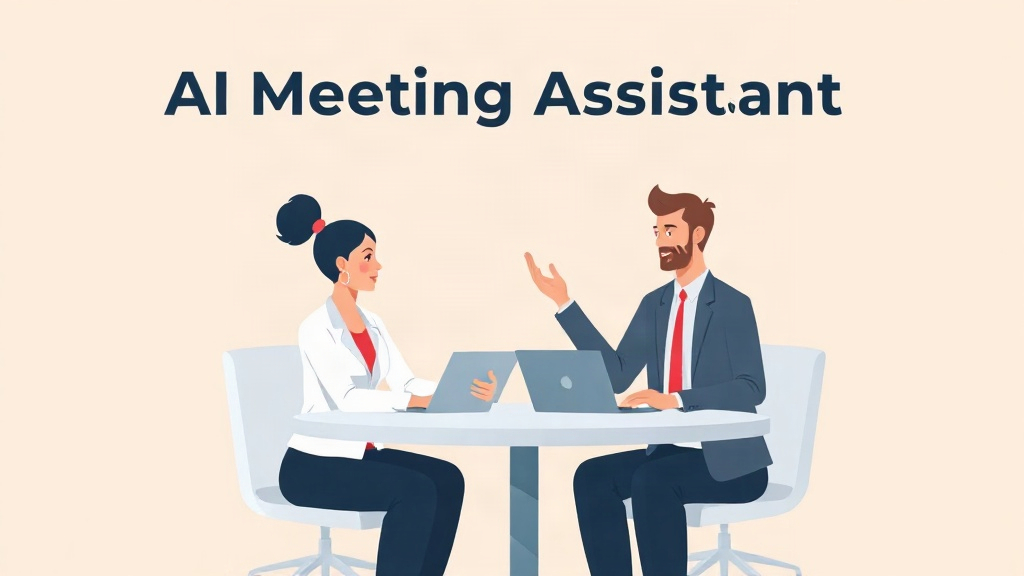
In today’s fast-paced business environment, staying on top of meetings can be a daunting task. From taking detailed notes to ensuring action items are followed up on, the process can consume significant time and energy. Enter AI meeting assistants—software tools designed to automate note-taking, summarization, and follow-up tasks using advanced technologies like speech recognition and natural language processing (NLP). In this blog post, we will explore how these assistants work, their key benefits, leading market players, best practices for implementation, common pitfalls to avoid, and tips on choosing the right tool for your needs. Try our Article Generator
Key Benefits of Using an AI Assistant
AI meeting assistants offer several advantages that make them indispensable for modern business operations. Firstly, they significantly reduce the time and effort required for manual note-taking by transcribing conversations in real-time with high accuracy. Secondly, these tools excel at generating concise summaries and action items based on the meeting content, ensuring no important details are missed. Additionally, AI assistants can integrate seamlessly with popular collaboration platforms like Zoom and Microsoft Teams, enhancing their utility across various workflows.
⚡ AI Tool: Blog Post GeneratorTry it free →
One of the most compelling benefits is the ability to analyze large volumes of data quickly. For instance, you might need to sift through a week’s worth of meetings to find a specific piece of information; an AI assistant can do this in seconds by using advanced search capabilities and NLP algorithms.
Top AI Meeting Assistant Tools
Several market leaders offer robust solutions for businesses looking to leverage AI meeting assistants:
Zoom AI Note-Taker
Zoom’s AI note taker integrates seamlessly with Zoom meetings, offering real-time transcription and summarization features. It also supports actions such as generating agendas based on meeting topics.
Otter Meeting Agent
Otter AI Meeting Agent, a versatile tool that provides real-time transcriptions alongside live chat capabilities, is another top contender. Users can generate detailed summaries and action items automatically after each session.
Read AI
For those seeking enterprise-level solutions, Read AI stands out with its comprehensive suite of services including real-time transcription, smart meeting summaries, and advanced search functionalities across all content types.
Best Practices for Using AI Meeting Assistants
To maximize the effectiveness of an AI meeting assistant:
Setting Up Your Meetings for Success
Ensure that participants are aware of the presence and purpose of the AI assistant. Encourage clear speaking to improve transcription accuracy.
Integrating With Other Tools
Leverage integrations with platforms like Google Workspace or Microsoft 365 to streamline workflows further. For example, you can automatically create follow-up tasks in your task manager from meeting summaries.
Customizing Settings
Take advantage of customization options such as setting up preferred languages, adjusting sensitivity levels for different types of content (e.g., technical jargon), and configuring alerts for specific keywords or phrases. Try our Keyword Research Tool
Pro Tip: Regularly review and refine your AI assistant’s settings to optimize its performance according to changing needs.
Common Mistakes to Avoid When Implementing AI Meeting Assistants
While the benefits are clear, improper implementation can lead to suboptimal results. Here are some pitfalls to avoid:
Underestimating Security Concerns
Avoid storing sensitive information during meetings unless absolutely necessary and ensure that data protection measures are in place.
Ignoring Integration Capabilities
Failing to fully utilize integration features can limit the overall utility of your AI assistant, so always explore what integrations are available.
Failing to Train the AI
Continuous training and feedback improve accuracy over time. Make sure that corrections made during meetings are used to enhance future performance.
Choosing the Right AI Meeting Assistant: A Step-by-Step Guide
To select an appropriate AI meeting assistant for your business:
- Evaluate Your Requirements: Consider factors like the size of your organization, preferred platforms, and specific workflow needs.
- Assess Tool Features: Compare features such as real-time transcription accuracy, summarization quality, integration capabilities, and customization options across different tools.
- Consider Vendor Reputation: Look at customer reviews, case studies, and market presence to gauge reliability and support offered by vendors.
Examples of AI Meeting Assistant Use Cases
- Before: Manually taking notes during a one-hour meeting can take hours to review and summarize.
After: With an AI assistant, the same task is completed in minutes with high accuracy. - Input: During a Zoom call about project timelines.
Output: A concise summary email sent to all participants detailing key points and action items.
Frequently Asked Questions
Q: How does speech recognition technology work in AI meeting assistants?
A: Speech recognition technology converts spoken words into text by using acoustic and language models trained on extensive datasets of human speech.
Q: Can AI meeting assistants integrate with multiple platforms like Zoom, Microsoft Teams, etc.?
A: Yes, many AI meeting assistants support integrations across various popular collaboration tools to enhance usability and workflow efficiency.
Q: What are the key features I should look for when choosing an AI meeting assistant?
A: Key features include real-time transcription accuracy, summarization quality, integration capabilities, customization options, and vendor reliability.
Q: How can I ensure data security while using AI meeting assistants?
A: Ensure compliance with organizational data protection policies by reviewing vendor privacy practices and implementing necessary safeguards. Try our Privacy Policy Generator
Q: What are the benefits of customizing settings in an AI meeting assistant?
A: Customization allows for tailored performance improvements, such as adjusting language sensitivity or setting up preferred keywords for alerts.
Conclusion
In conclusion, AI meeting assistants represent a powerful toolset that can significantly enhance productivity and efficiency in business environments. By leveraging advanced technologies like speech recognition and NLP, these tools automate mundane tasks while ensuring no important details are overlooked. As you explore integrating an AI assistant into your workflows, remember to assess requirements carefully, evaluate features thoroughly, consider vendor reputation, and stay vigilant about security concerns.
For more insights on AI-driven productivity enhancements, check out our related blog post. And if you’re interested in exploring these tools further, visit our pricing page to learn more about cost structures and plans: Pricing.
Ready to Try These AI Tools?
AI Central Tools offers 242 free AI tools for content creation, SEO, business, and more.
References & Further Reading
- AI note taker: Your AI Meeting Assistant | Zoom — www.zoom.com
- Otter Meeting Agent – AI Notetaker, Transcription, Insights — otter.ai
- Meeting Summaries, Transcripts, AI Notetaker & Enterprise Search | read.ai — www.read.ai
- The 11 best AI meeting assistants in 2026 | Zapier — zapier.com
- Meeting.ai — AI Work Assistant for Meetings — meeting.ai
- Fellow.ai | AI Meeting Assistant and Notetaker — fellow.ai
- Krisp – AI Meeting Assistant | Automated Meeting Assistant — krisp.ai
- Fireflies.ai | #1 AI Assistant for Meetings, Email, Chat & CRM — fireflies.ai